Divi Protect
Password protect the content of your Divi website with our Divi Protect plugin. Keep unwanted eyes out!
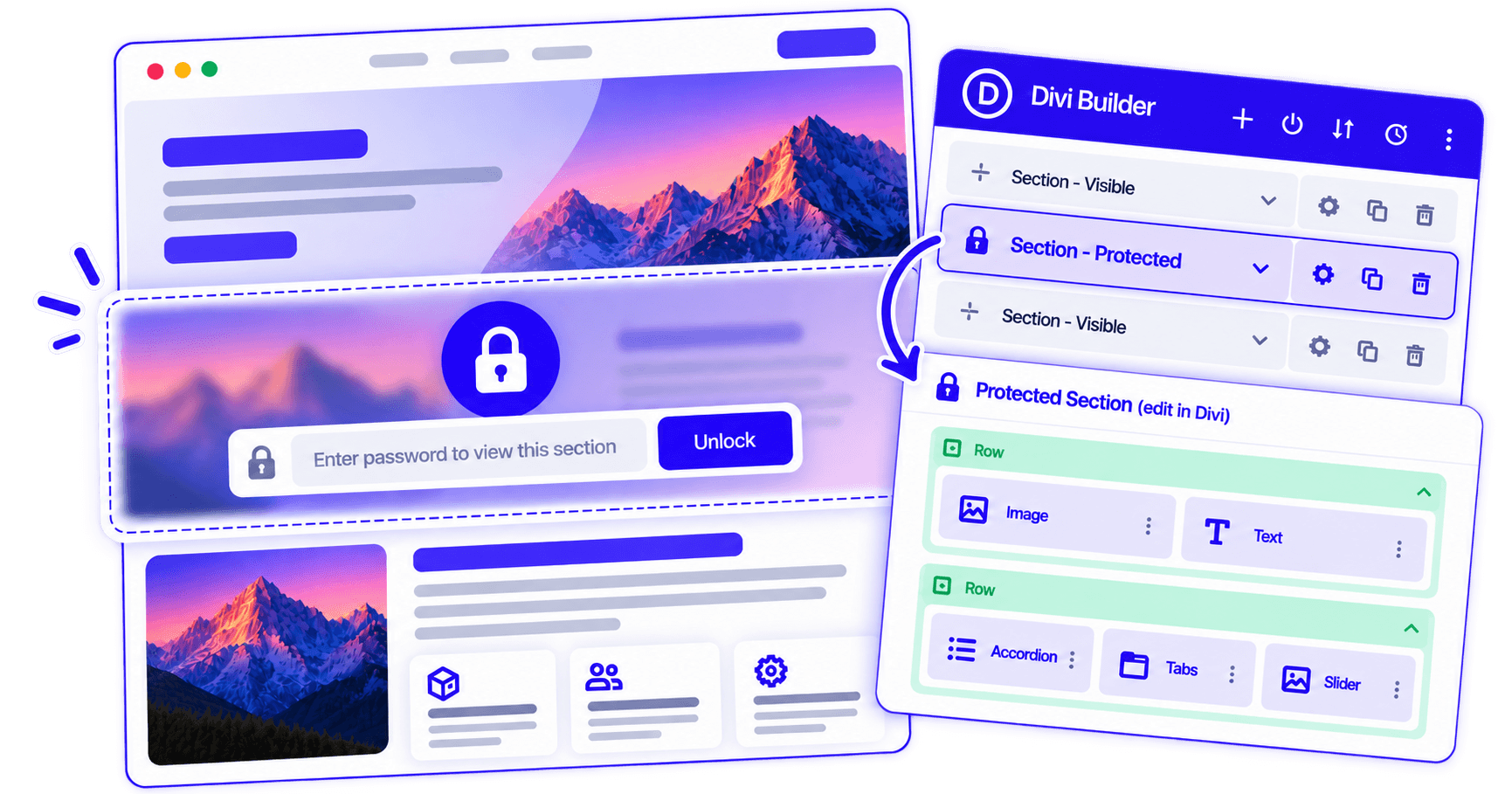
Password-protect one section of a Divi page
Lock a section and leave the rest of the page open. Design the hidden content in the Divi Builder, visitors enter a password, and that section appears in place. It works on Divi 4 and Divi 5.
Private content, still built in Divi
Design what stays hidden in the Divi Builder
Each lock is its own section. Build it with the same rows and modules as the rest of the site. When the password is right, that layout shows in place, and accordions, tabs, and sliders inside it still open.
- As many protected sections as the page needs
- Edit the hidden layout in the Divi Builder
- The rest of the page stays visible
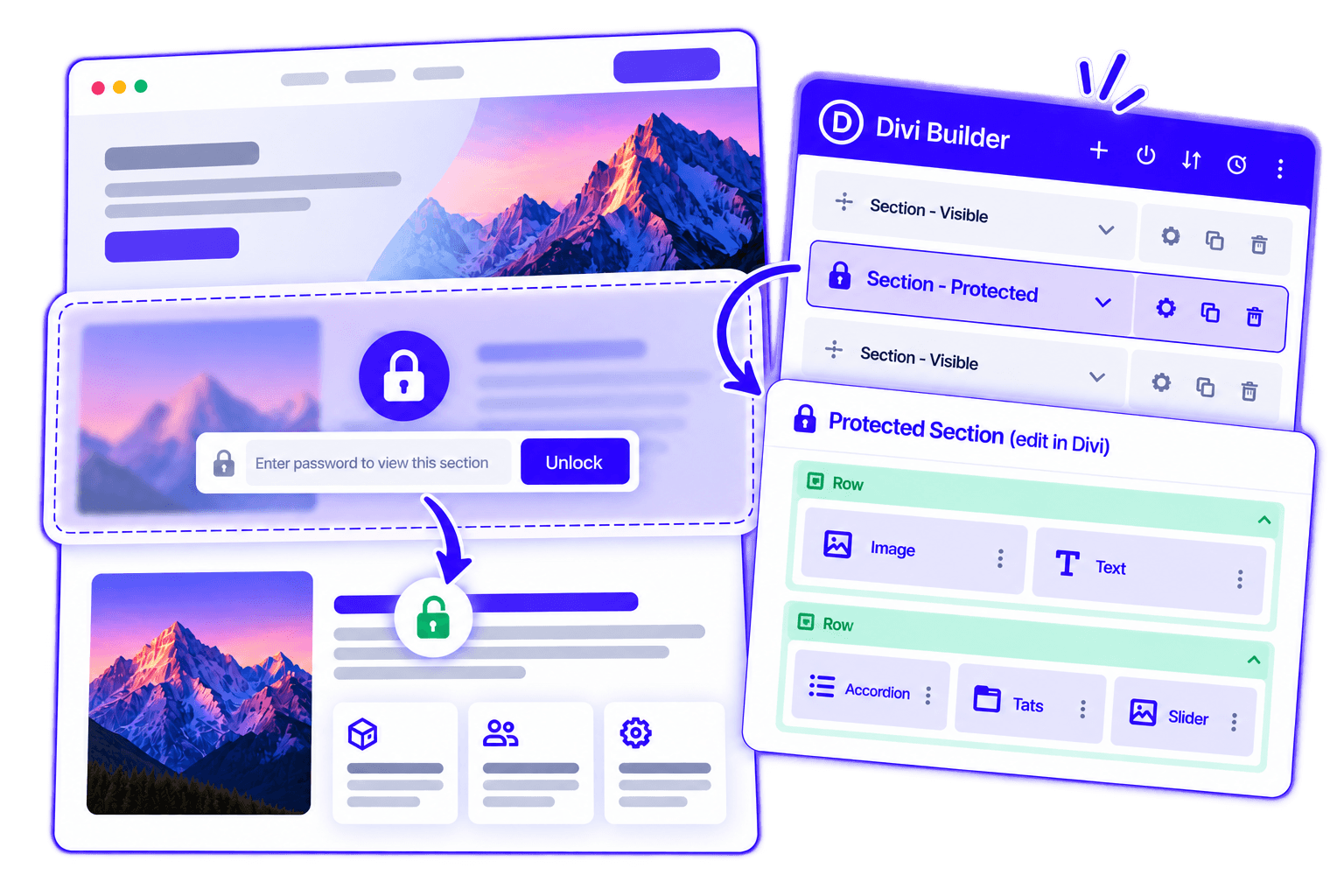
Place the lock where that section should sit
Add the Protect module in the Visual Builder and choose which section it shows. A shortcode does the same job in a code module.
- Divi 4 and Divi 5 Visual Builder
- Pick the section in the module
- Or paste the shortcode
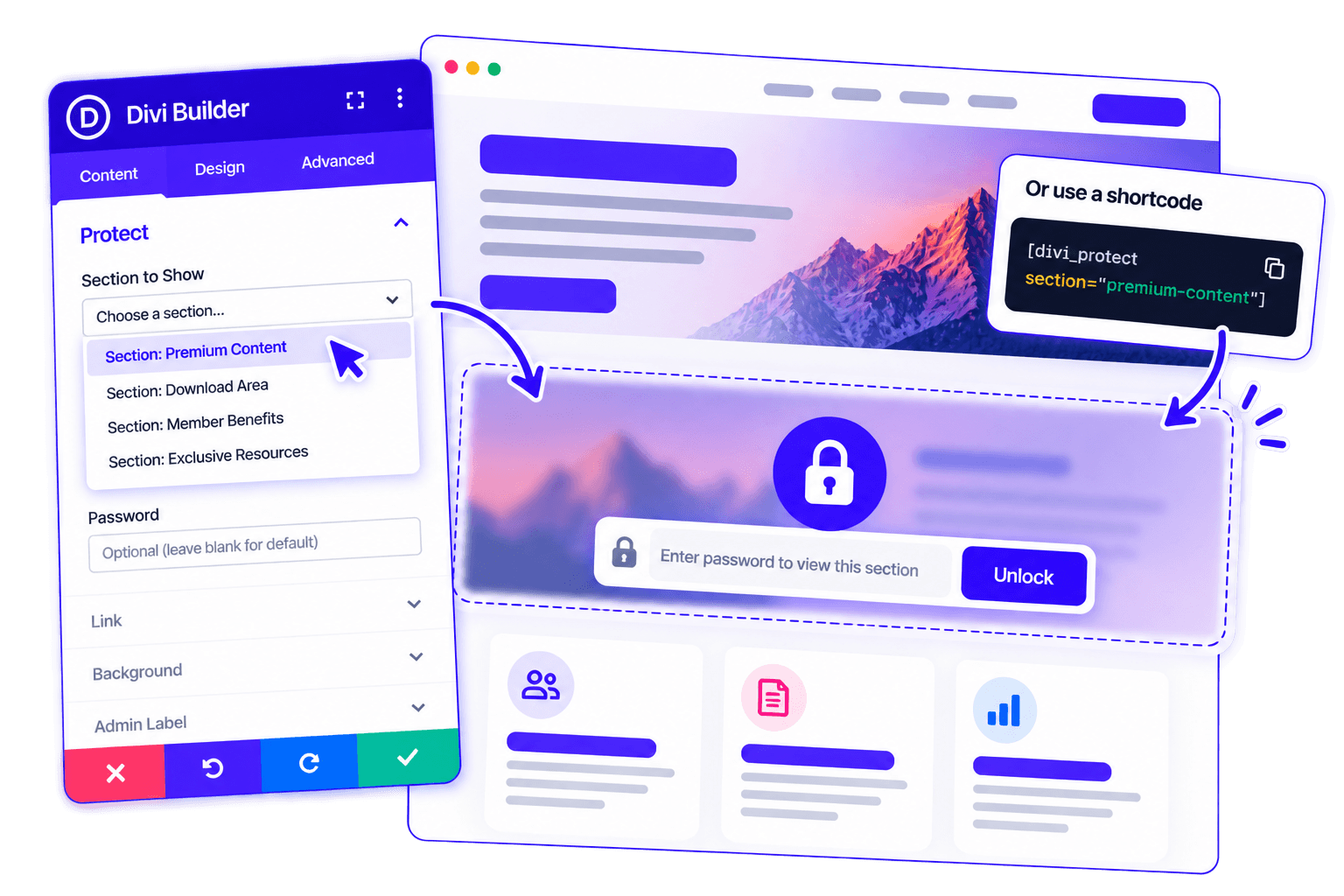
One password, or a few ways past the form
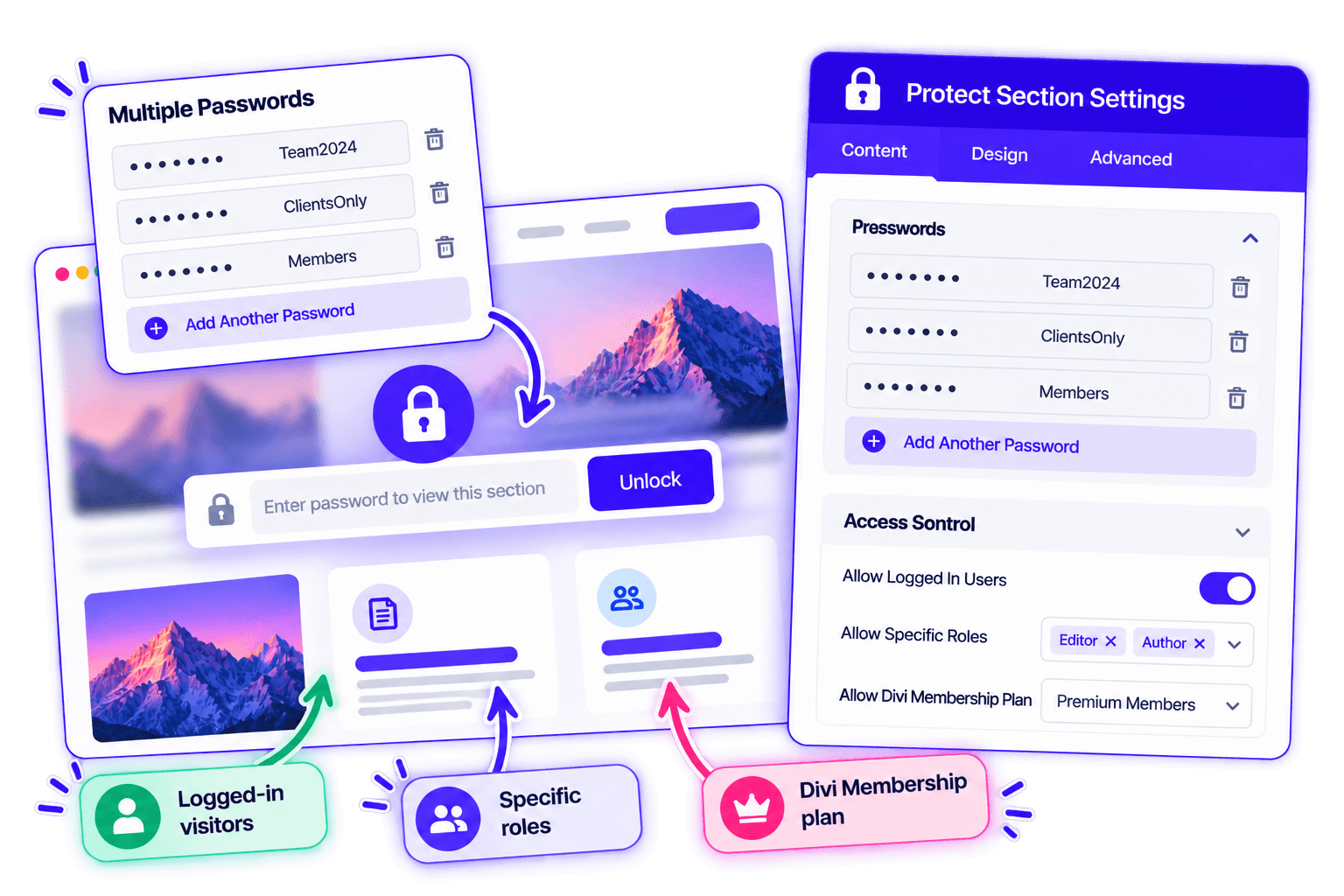
Give the section a password, and extra ones when different people should use different words. Logged-in visitors, people in chosen roles, or members of a Divi Membership plan can skip the form.
- Several passwords on one section
- Skip the form for logged-in visitors or chosen roles
- A Divi Membership plan can skip it too
Remember the password for as long as you choose
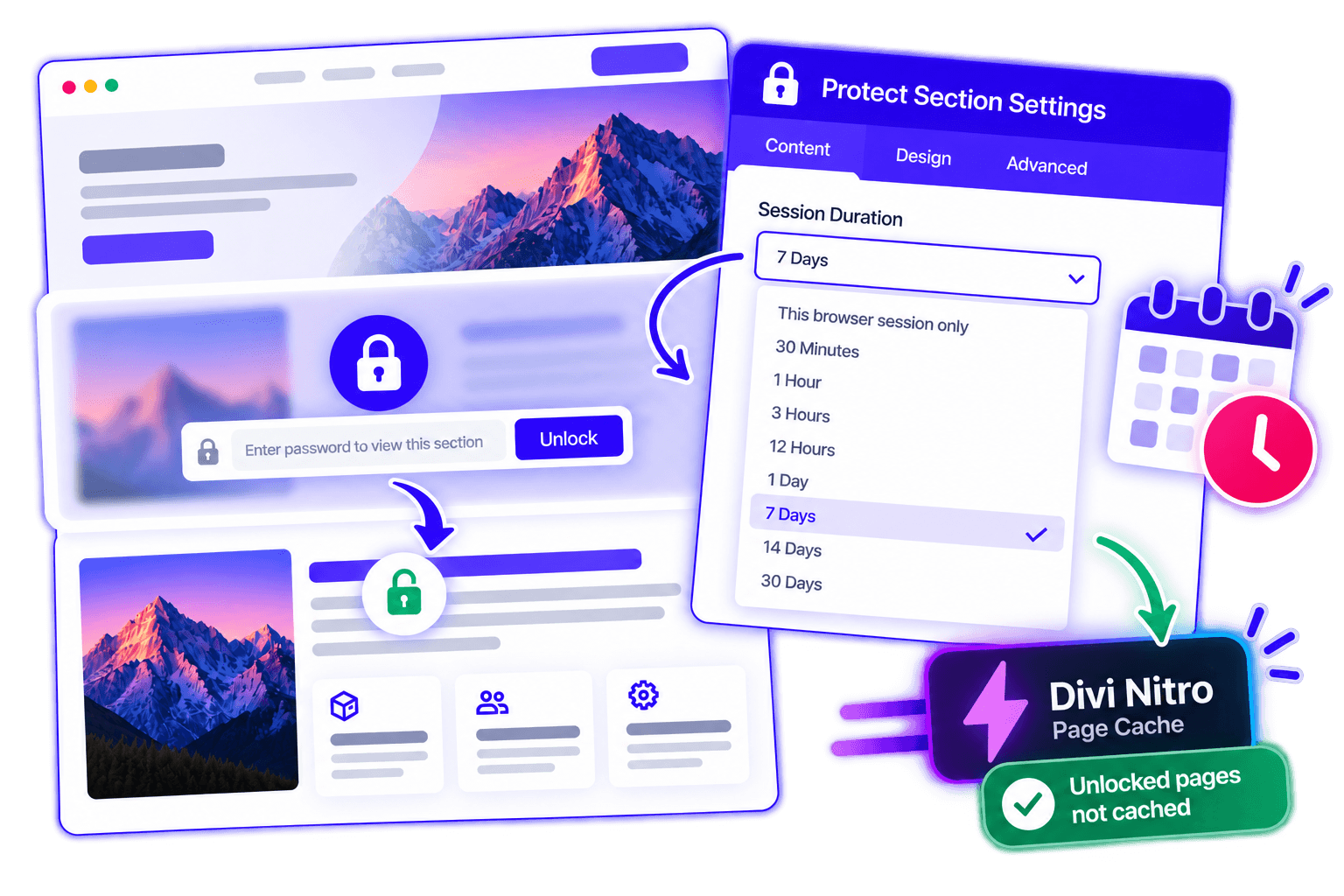
After a correct password, the browser can remember it for a number of days, in steps of 30 minutes, or only until the visitor closes the browser. On a site using Divi Nitro, an unlocked visit is not served the cached locked page.
- Days, or steps of 30 minutes
- Or this visit only
- Stays correct with Divi Nitro page cache
WordPress page password vs Divi Protect
WordPress can password-protect a whole post or page. On a Divi site that hides the entire layout behind one form, with one password, remembered for 10 days.
Divi Protect is for the part of the page that should stay private. The hidden part is its own Divi layout, with its own passwords, wording, and how long access lasts.
| What you get | WordPress | Divi Protect |
|---|---|---|
| Lock one part of a page and leave the rest open | Not included | Included |
| Lock an entire page from the page settings WordPress hides the whole post. Protect locks the section you place in the layout. | Included | Not included |
| One shared password | Included | Included |
| More than one password on the same lock | Not included | Included |
| Choose how long access lasts WordPress remembers the password for 10 days unless a developer changes that. | 10 days | Days, 30 minutes, or this visit |
| Logged-in visitors can skip the password | Not included | Included |
| Only chosen roles skip the password | Not included | Included |
| Members of a plan skip the password Needs Divi Membership on the site. | Not included | Included |
| Hidden content is its own Divi layout A WordPress page password hides the page content itself. | Not included | Included |
| Your own label, button, and wrong-password message | Needs custom code | Included |
| Show or hide the password while typing | Not included | Included |
| Send the visitor to another page after the right password | Not included | Included |
| Style the field and the button | Theme CSS | Included |
| Password saved as a hash, not plain text WordPress stores the page password in plain text on the post. | Not included | Included |
| Repeated wrong passwords are paused | Not included | Included |
| Works on sites that are not using Divi | Included | Not included |
Compared with WordPress password-protected posts and pages (Visibility, Password protected). WordPress still uses one password per post and a 10-day unlock unless custom code changes that. Divi Protect 3.0.0, October 2026. The membership option needs Divi Membership active.
The form, and what happens next
Words on the form
Set the button, the label, the placeholder, and the message shown when the password is wrong.
Customize the formContent around the form
A short message or a Divi layout can sit above the form, and another layout below it, while the section is still locked.
Send them on
After the right password, keep them on the page or send them to another address.
A form that matches the page
Set the field colours, type size, border, and the button so the form looks like the rest of the layout.
Show or hide while typing
Visitors can reveal the password as they type, then hide it again.
Back on the same spot
After a correct password, the page can scroll to the section that just opened.
Everything in the box
- Divi Builder layouts
- Divi 4 and Divi 5
- Protect module
- Shortcode
- Several passwords
- Logged-in visitors
- Chosen roles
- Divi Membership plans
- Unlock for a set number of days
- Unlock in steps of 30 minutes
- This visit only
- Your own form wording
- Show or hide the password
- Scroll back to the section
- Text or a layout above the form
- Divi layout below the form
- Styled field and button
- Redirect after the password
- Divi Nitro page cache
- Passwords saved as a hash
- Repeated wrong passwords paused
Divi Protect
Annual
Lifetime
- 1 Site £9.99
-
- 1 Site £9.99
- Unlimited £39.99
Unlock the full power of Divi Engine
From £149 for unlimited usage

- Access to all our plugins
- Access to our courses
- Unlimited site usage
- Access to new products